On Thursday 6 of November were with my friend and colleague Juan Andrés Valenzuela dictating a new Webcast about Form Services, forms in Infopath 2007 and Workflow hosting the solution into Microsoft Office SharePoint Server (MOSS) 2007. Our idea were how we can create forms using Infopath 2007 and use them using the browser without Infopath installed in the client machine. We show how the forms work together with the workflow sending and receive information from our Workflow.
Microsoft Infopath 2007 is a tools to create easy forms and use it. Hosting the forms in MOSS we can use these forms how a web page and the user can send information to the server.
Using Windows Workflow Foundation and Visual Studio 2008 we create a Workflow to approve a reject an item created by the user into a Document Library.
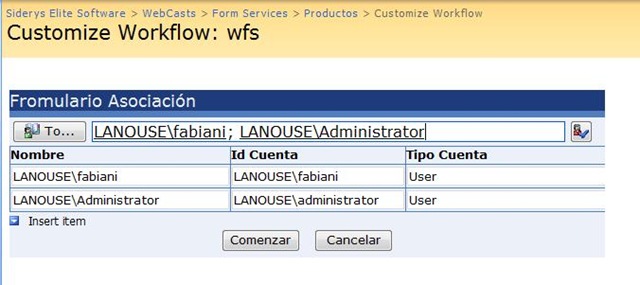
In the following image we can see the form created in Infopath where the user need loads the approvers when he is associated the Workflow to the Document Library in SharePoint 2007.
[Image 1]
In the image 2 we can se the form created in Infopath 2007 to approve or reject the task created when the user insert a new item into the Document Library.
[Image 2]

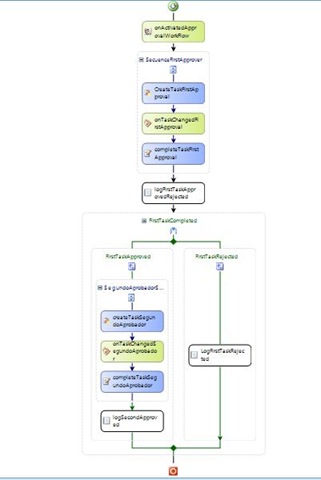
In the image 3 we can se the activities used to create a Workflow in Visual Studio 2008 using the activities for SharePoint available when we create a Workflow by SharePoint.
[Image 3]
In the following link you can download the complete source code, forms and Workflow.
If you want see the Webcast (Spanish), you can access to the following link
Fabián Imaz